
What Stands Out
TB501Pro-EN: advertised 80Gbps TB5 interface with a model-specific PCIe Gen5 SSD restriction.
TBU405Air: 40Gbps Thunderbolt/USB4 but no USB 3.x-only fallback.
M003Pro: Mac mini M4-specific design with dual 4K60 HDMI and 40Gbps NVMe expansion.
What to Check
Match actual Thunderbolt/USB4 controller, SSD generation and physical drive size.
Compare M003 and M003Pro port layouts before buying.
Budget for SSD, cabling, any local taxes and warranty terms.
Product Review
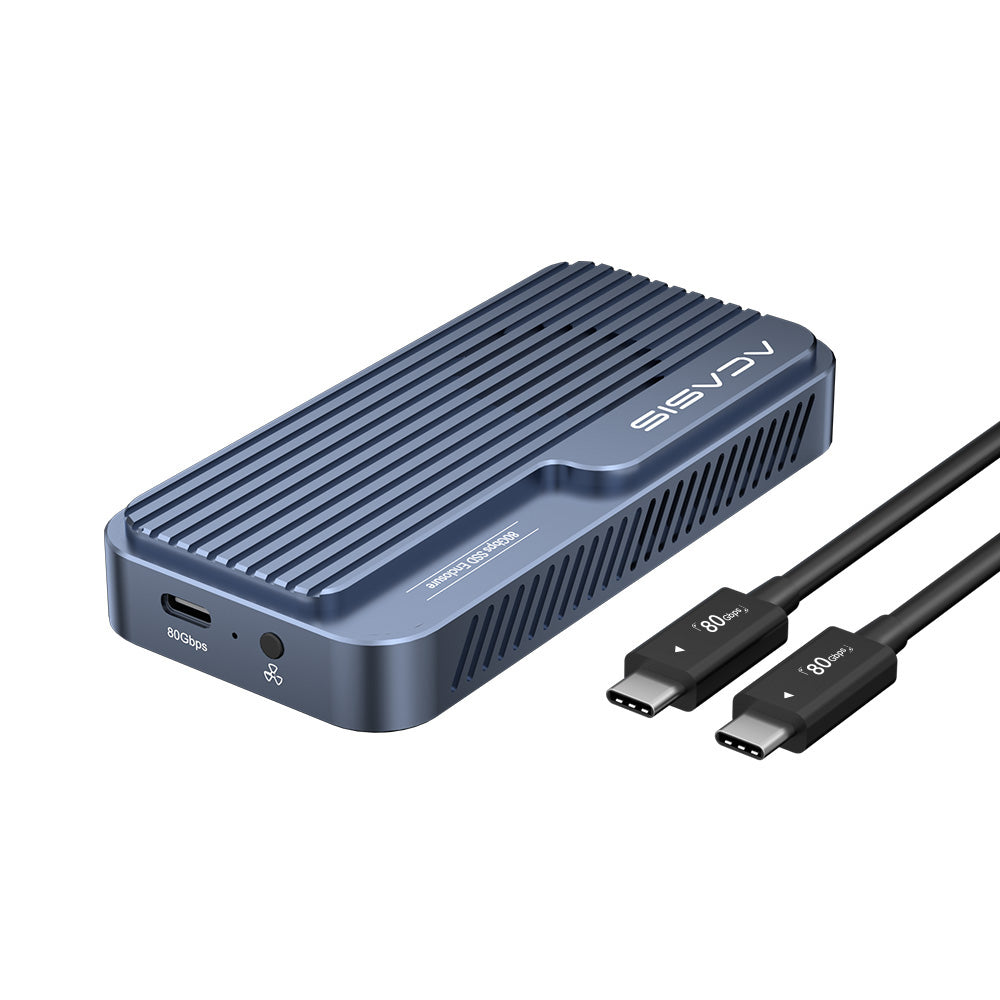
1. ACASIS TB501Pro-EN 80Gbps Thunderbolt 5 NVMe SSD Enclosure
Product overview
ACASIS TB501Pro-EN is a tool-free external enclosure for a user-supplied M.2 NVMe SSD. The manufacturer lists an 80Gbps Thunderbolt 5 interface, a JHL9480/RTL9210 dual-chip design and speeds exceeding 6000MB/s under its specified test conditions. These are interface and marketing performance claims, not a guarantee of real-world file transfer on every host.
Key Specifications
- Model: TB501Pro-EN basic version.
- Host interface: Thunderbolt 5 (80Gbps); manufacturer also lists Thunderbolt 4/3, USB4 and certain USB 3.x backwards compatibility, subject to host negotiation.
- Compatible SSD form factors: M.2 2230, 2242, 2260 and 2280; up to 8TB stated capacity.
- Cooling: adjustable fan with automatic temperature-triggered operation.
- Installation: tool-free aluminum enclosure; SSD purchased separately.
- Important compatibility restriction: this basic TB501Pro-EN version does not support PCIe Gen5 NVMe SSDs; the manufacturer specifically warns against models such as Samsung 9100 Pro.
Best For
Power users with a supported Thunderbolt 5 host and compatible PCIe Gen4 NVMe drive who want a high-bandwidth external SSD enclosure.
Trade-offs & Buyer Checks
Do not confuse an 80Gbps port rating with guaranteed drive throughput. Verify your computer port, cable, SSD generation, firmware and cooling; drives with integrated tall heatsinks may not fit. Confirm you are purchasing the basic version rather than ACASIS's separate Gen5-capable professional version.
2. ACASIS TBU405Air 40Gbps Thunderbolt/USB4 NVMe SSD Enclosure
Product overview
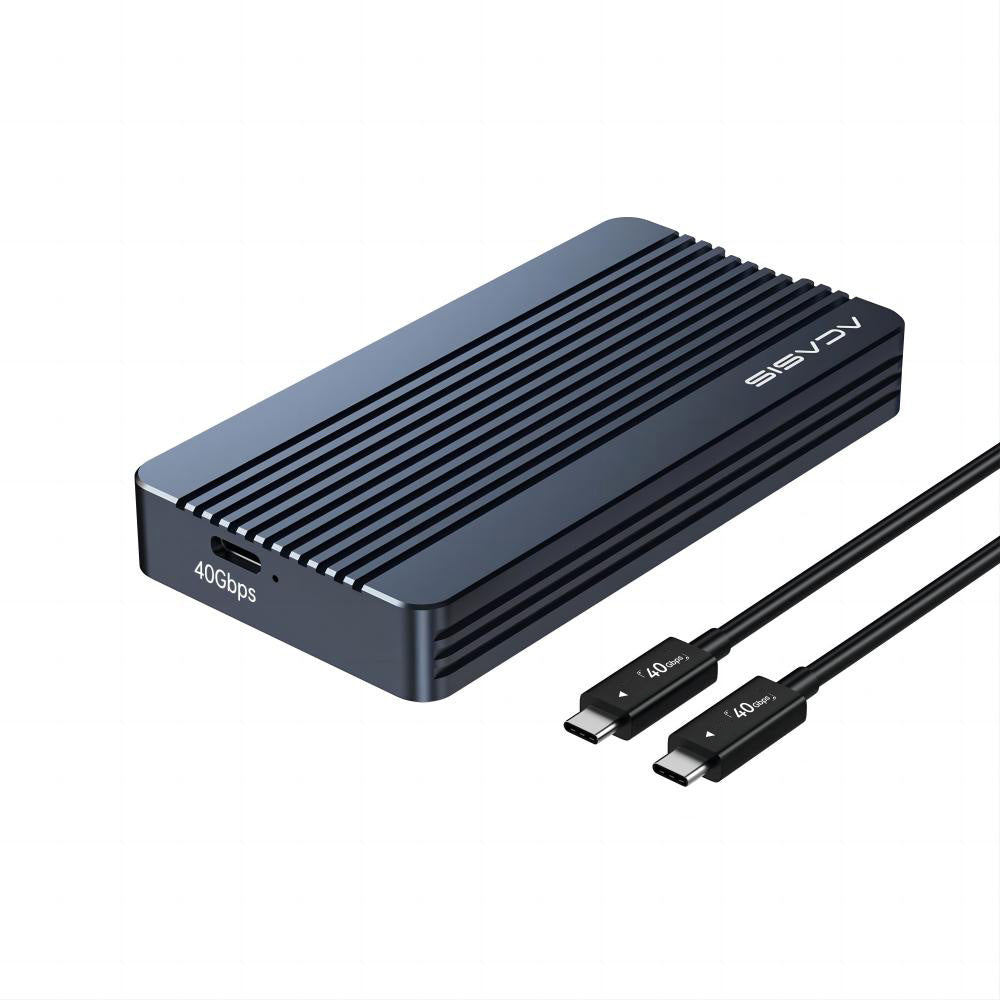
The TBU405Air is a passive-cooled 40Gbps external M.2 NVMe enclosure aimed at compatible Thunderbolt/USB4 computers. ACASIS describes it as compact, lightweight and tool-free to install, with a ribbed metal shell for heat dissipation.
Key Specifications
- Model: TBU405Air, not the different TBU405 or TBU405Pro variants.
- Interface: 40Gbps Thunderbolt 5/4/3 and USB4, according to product page.
- Not compatible with ordinary USB 3.2/3.1/3.0/2.0-only ports according to the model-specific warning.
- Capacity: up to 8TB of compatible M.2 NVMe SSD storage, sold separately.
- Cooling: finned aluminum housing with passive heat dissipation.
- Installation: tool-free; a 40Gbps cable is listed with the unit.
Best For
Users who have a confirmed Thunderbolt or USB4 connection and want a simpler 40Gbps NVMe enclosure without an active cooling fan.
Trade-offs & Buyer Checks
The lack of standard USB 3.x fallback is an important purchase blocker for many desktops. Check the exact port technology, supported SSD and thermal behavior during long transfers. A host's USB-C connector shape alone does not establish Thunderbolt/USB4 support.
3. ACASIS M003Pro / M003 Mac mini M4 Dock & NVMe Enclosure
Product overview
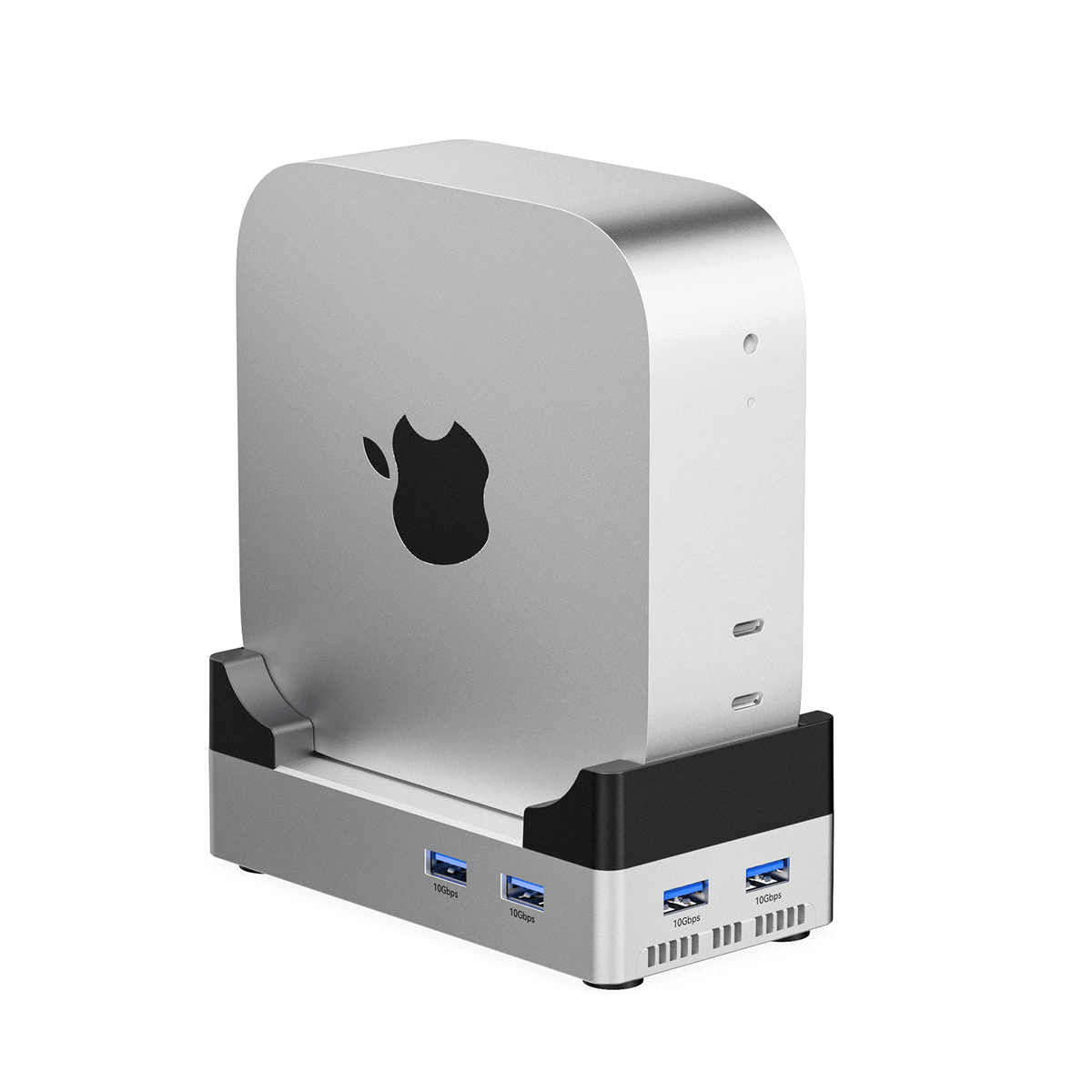
ACASIS M003Pro/M003 is a Mac mini M4 docking stand that adds ports and an internal M.2 NVMe SSD enclosure. It is not a standalone Mac computer, and the Mac mini and NVMe SSD are not included unless a specific purchase option explicitly says otherwise. Buyers need to choose between two different dock configurations.
Key Specifications
- M003Pro: one 40Gbps M.2 slot; two HDMI 4K@60Hz outputs; four USB-A 3.2 Gen2 10Gbps ports; two USB-A 2.0 ports; and 30W PD input for the dock.
- M003: one 10Gbps M.2 slot; one HDMI 4K@60Hz output; two USB-A 3.2 Gen2 ports; two USB-A 2.0 ports; SD/TF reader and 30W PD input for the dock.
- Storage expansion: up to 8TB stated NVMe support, with an appropriately compatible SSD.
- Intended system: Mac mini M4 / M4 Pro; confirm exact model and revision.
- Available plug versions listed for US, EU, UK and AU.
Best For
Mac mini M4 owners who need a matching desktop stand, extra USB ports, additional display connections and NVMe storage expansion.
Trade-offs & Buyer Checks
Do not assume M003 includes the M003Pro's second HDMI output or 40Gbps storage interface. The 30W PD input powers the dock and connected ports, not the Mac mini itself. Check your display limits and SSD compatibility on the selected Mac model.
Buying Notes
Verify exact SKU, computer port and SSD keying before ordering. Test the planned cable, filesystem and thermal workload after setup. For Mac mini docks, confirm supported displays and external power, and compare the 40Gbps versus 10Gbps version rather than relying on similar product images.
Check product, region and restocking/return-shipping conditions.Read full policy ↗
Confirm written warranty for your model and country before purchase.Read full policy ↗
Final Verdict
TB501Pro-EN is for suitable TB5 external SSD projects (but not PCIe Gen5 drives); TBU405Air is for Thunderbolt/USB4 40Gbps storage; M003Pro/M003 expand a Mac mini M4 with different SSD/HDMI port configurations.
FAQ
Does the ACASIS TB501Pro-EN basic enclosure work with PCIe Gen5 SSDs?
No. ACASIS explicitly states that the TB501Pro-EN basic version does not support PCIe Gen5 SSDs, even though the enclosure uses an 80Gbps Thunderbolt 5 host interface. Check the separate professional model for different drive support.
Will the ACASIS TBU405Air work with a normal USB-C USB 3.2 laptop?
Not if it only supports regular USB 3.x data. ACASIS specifies that TBU405Air requires Thunderbolt 5/4/3 or USB4 connectivity. Check the computer's actual controller and specifications.
What is the difference between ACASIS M003 and M003Pro?
M003Pro lists a 40Gbps M.2 SSD slot and two HDMI 4K60 outputs, whereas M003 lists a 10Gbps M.2 SSD slot, one HDMI 4K60 output and an SD/TF reader. USB port counts also differ.
How We Researched
This guide compares ACASIS's official TB501Pro-EN, TBU405Air and M003/M003Pro product pages, alongside ACASIS's 40Gbps enclosure comparison and published shipping/return information. We have not independently measured performance or verified manufacturer warranty claims.
How to Choose Between an ACASIS SSD Enclosure and Dock
A standalone external SSD enclosure needs a compatible user-supplied M.2 NVMe drive and a host computer. ACASIS TB501Pro-EN and TBU405Air target different interface bandwidths and have different limitations, especially in SSD generation support and fallback port compatibility. The M003Pro/M003 is instead a Mac mini M4-specific stand/dock: it adds display ports, USB connections and internal SSD expansion. Treat these as different purchasing jobs rather than declaring one universal winner.
ACASIS markets interface bandwidth at 80Gbps, 40Gbps or 10Gbps depending on model. That figure describes a link capability, not an actual file-copy benchmark. Drive, host, protocol, cable, heat and filesystem can significantly reduce observed performance.
Compare Options
| Model | Category | Key link / storage | Best for | Critical buyer check |
|---|---|---|---|---|
| TB501Pro-EN (basic) | NVMe SSD enclosure | Thunderbolt 5, 80Gbps; up to 8TB | High-bandwidth external SSD on TB5 host | No PCIe Gen5 SSD support on this variant |
| TBU405Air | NVMe SSD enclosure | Thunderbolt/USB4 40Gbps; up to 8TB | Simple portable SSD enclosure | Not compatible with USB 3.x-only connections |
| M003Pro | Mac mini M4 dock | 40Gbps M.2, 2×HDMI 4K60 | Desktop expansion, storage + two displays | Confirm Mac mini display limits and compatible drive |
| M003 | Mac mini M4 dock | 10Gbps M.2, 1×HDMI 4K60 and SD/TF reader | Lower-bandwidth Mac mini expansion | Do not assume M003Pro port layout |
All specifications are manufacturer-published, and system compatibility is model/variant dependent.
TB501Pro-EN: Fast Interface, Important Gen5 Restriction
The TB501Pro-EN basic edition lists dual-chip JHL9480/RTL9210 hardware, a tool-free M.2 enclosure, supported 2230/2242/2260/2280 drives up to 8TB and adjustable cooling. ACASIS advertises speeds above 6000MB/s under its test conditions. But the page explicitly warns that this basic firmware edition is not suitable for PCIe Gen5 NVMe SSDs such as Samsung 9100 Pro. The professional edition is a different offering; do not infer the same drive compatibility across both.
On older Thunderbolt 3 machines, the actual negotiated protocol may differ. ACASIS's FAQ even warns that some TB3 laptops can recognize this as a lower-speed USB connection. Buyers should verify host/cable compatibility and choose SSDs without oversized pre-attached heatsinks.
TBU405Air: Not Every USB-C Port Will Work
TBU405Air is a compact aluminum 40Gbps unit with passive cooling and a tool-free SSD installation. The manufacturer explicitly says it works with Thunderbolt 5/4/3 and USB4, but not ordinary USB 3.2/3.1/3.0/2.0 interfaces. That is a stronger limitation than the generic phrase “USB-C compatible” might suggest. Do not buy solely because the host has a Type-C socket.
ACASIS sells other models under the TBU405/TBU401 family with different controllers, fan options and broader compatibility. Confirm the exact SKU on the order. For continuous SSD workloads, watch drive temperatures and choose a model with a cooling fan if the thermal requirements justify it.
M003Pro vs M003: Mac mini Workstation Expansion
The M003Pro adds a 40Gbps M.2 SSD slot, two HDMI outputs rated up to 4K60, four USB-A 3.2 Gen2 ports, two USB-A 2.0 ports and 30W dock power input. The M003 has a 10Gbps M.2 slot, one 4K60 HDMI output, two USB-A Gen2 ports, two USB-A 2.0 ports and an SD/TF card reader. Both are advertised for Mac mini M4/M4 Pro workstation use, not as universal Thunderbolt docks.
For buyers who already have external monitors, the 40Gbps edition is attractive when the additional HDMI/SSD bandwidth actually matters. Confirm the Mac mini's supported displays, USB bus constraints, drive compatibility and selected plug before purchase. The 30W PD connection powers the dock, not the Mac mini itself.
Cooling, File Systems and Data Protection
The TB501Pro-EN advertises adjustable intelligent fan cooling; TBU405Air relies on a metal finned shell. Neither approach guarantees a particular sustained write speed for a specific drive in a hot environment. Mac and Windows may need different filesystem choices; cross-platform workflows often use exFAT, while native drives may use APFS or NTFS depending on the goal. Format only after backing up existing data.
ACASIS product notes advise keeping backups and explain that the company's warranty/replacement processes do not cover recovery of lost data. Buyers should check whether the SSD drive is included in their selected configuration and understand enclosure versus SSD manufacturer warranty coverage.
Shipping, Returns and Warranty Questions
Availability, return shipping fees and import duties can vary by country and product. Do not interpret a listed sale price or comparison price as proof of the item's historical selling price, and do not assume seasonal discount codes will combine with marked-down hardware.