
What Stands Out
The MOKiN 9-in-1 USB-C Hub with Triple Display adds USB-C video alongside HDMI 4K@60Hz, a combination the dual-HDMI docks here do not offer.
The MOKiN 12-in-1 Laptop Docking Station With 3 Monitors and the MOKiN 12-in-1 USB-C to Triple HDMI docking station both drive three HDMI monitors, with the latter rated at 4K@60Hz on all three.
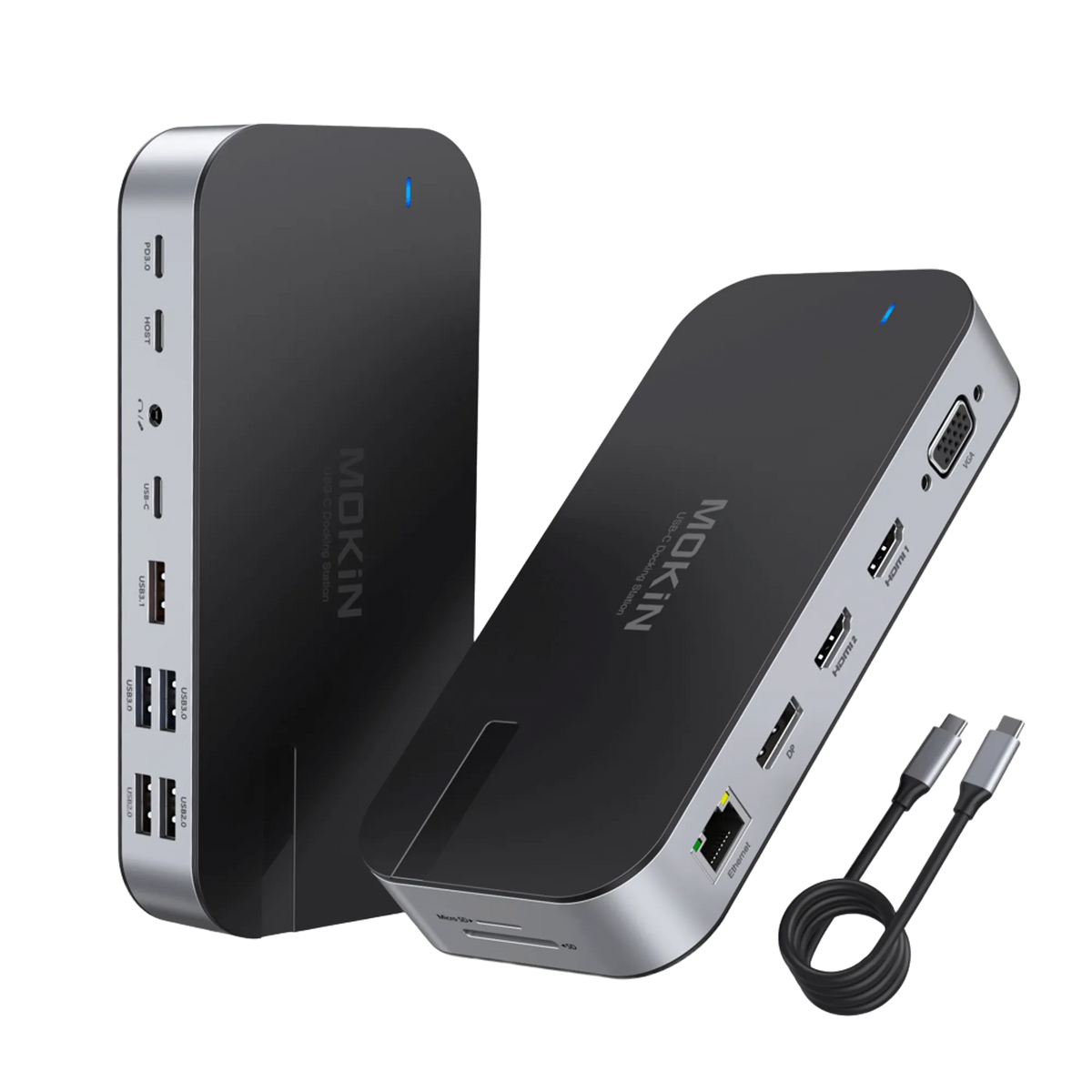
The MOKiN 16-in-1 Laptop Docking Station is the only dock in this set with VGA and DisplayPort alongside dual HDMI, covering legacy and modern monitors from one unit.
The MOKiN 65W Portable Power Bank carries the highest capacity and output here at 18400mAh and 65W, with dual detachable built-in cables.
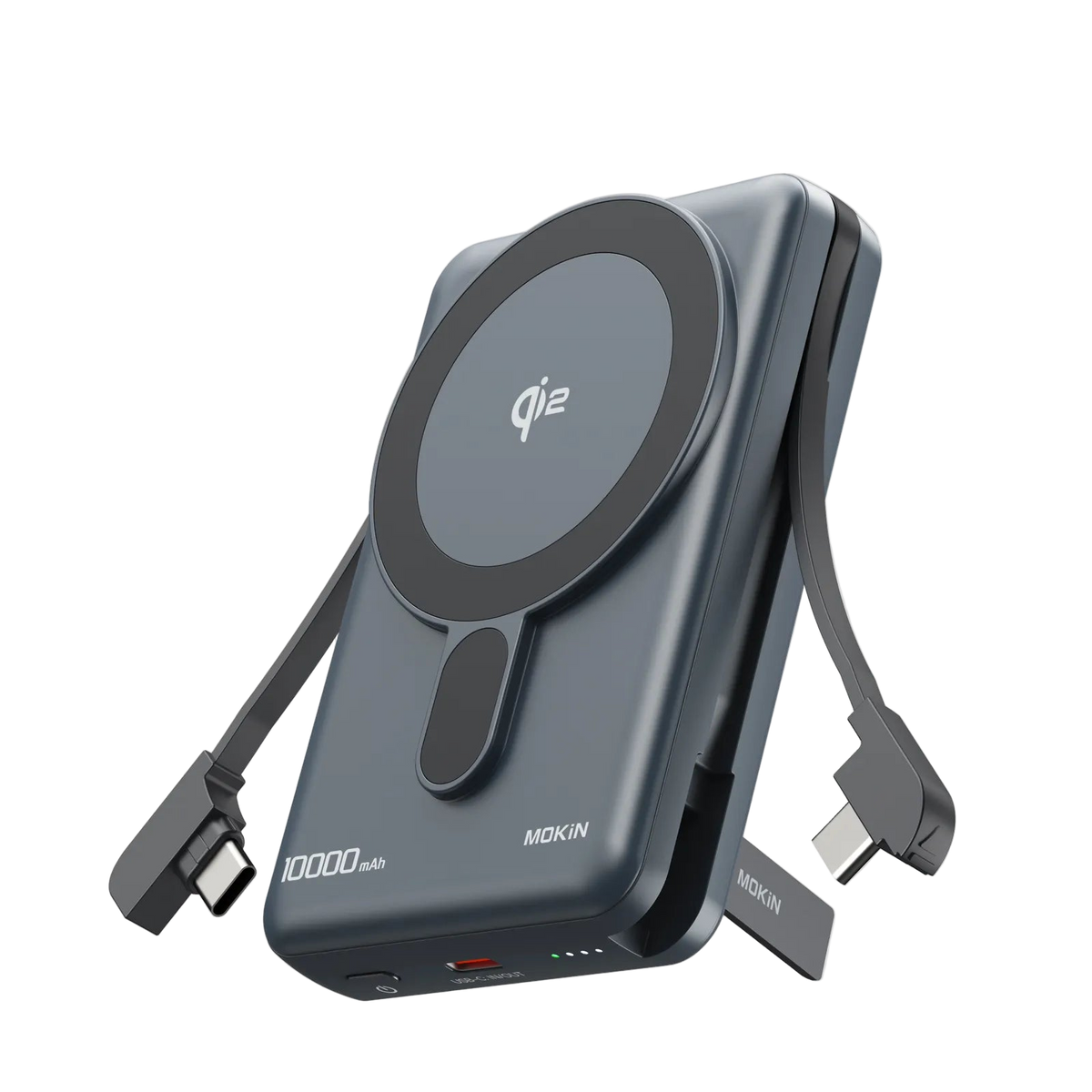
The MOKiN 10000mAh magnetic bank pairs 15W Qi2 wireless charging with a built-in USB-C cable, so it can charge two devices without extra cables.
What to Check
Every dock in this range depends on the laptop's USB-C capability: the 12-in-1 triple-HDMI unit and the 16-in-1 model both state that a USB-to-USB-C adapter will not work, so confirm a Thunderbolt or full-function USB-C port.
Triple-display output is not guaranteed by port count alone; check that your laptop supports it, and note the 9-in-1 hub drops dual-display refresh when both video ports are used.
The 12-in-1 USB-C to Triple HDMI dock needs a power connection to operate, and the 13-in-1 upright dock requires an AC outlet, so plan desk power accordingly.
For the power banks, match your device to the rating: the 65W bank's merchant claim of 1.7 hours for a 16-inch MacBook Pro depends on your laptop accepting 65W USB-C PD, and the magnetic bank requires a Qi2-compatible iPhone.
Product Review
1. MOKiN 10000mAh Magnetic Power Bank with 15W Qi2 Wireless Charging, Built-in USB-C Cable for iPhone
Product overview
The MOKiN packs a 15W Qi2 magnetic wireless charger and a built-in USB-C cable that tucks into the body, so an iPhone can charge wirelessly while a second USB-C device draws up to 20W wired. This suits owners who want fewer loose cables, though Qi2 magnetic use needs a compatible iPhone and the 10000mAh capacity should be checked against trip length.
Key Specifications
- Weight: 0.53 lb
Available options
- Gray
- White
2. MOKiN 13-in-1 USB-C Laptop Docking Station with Smart LCD Display and Dual HDMI
Product overview
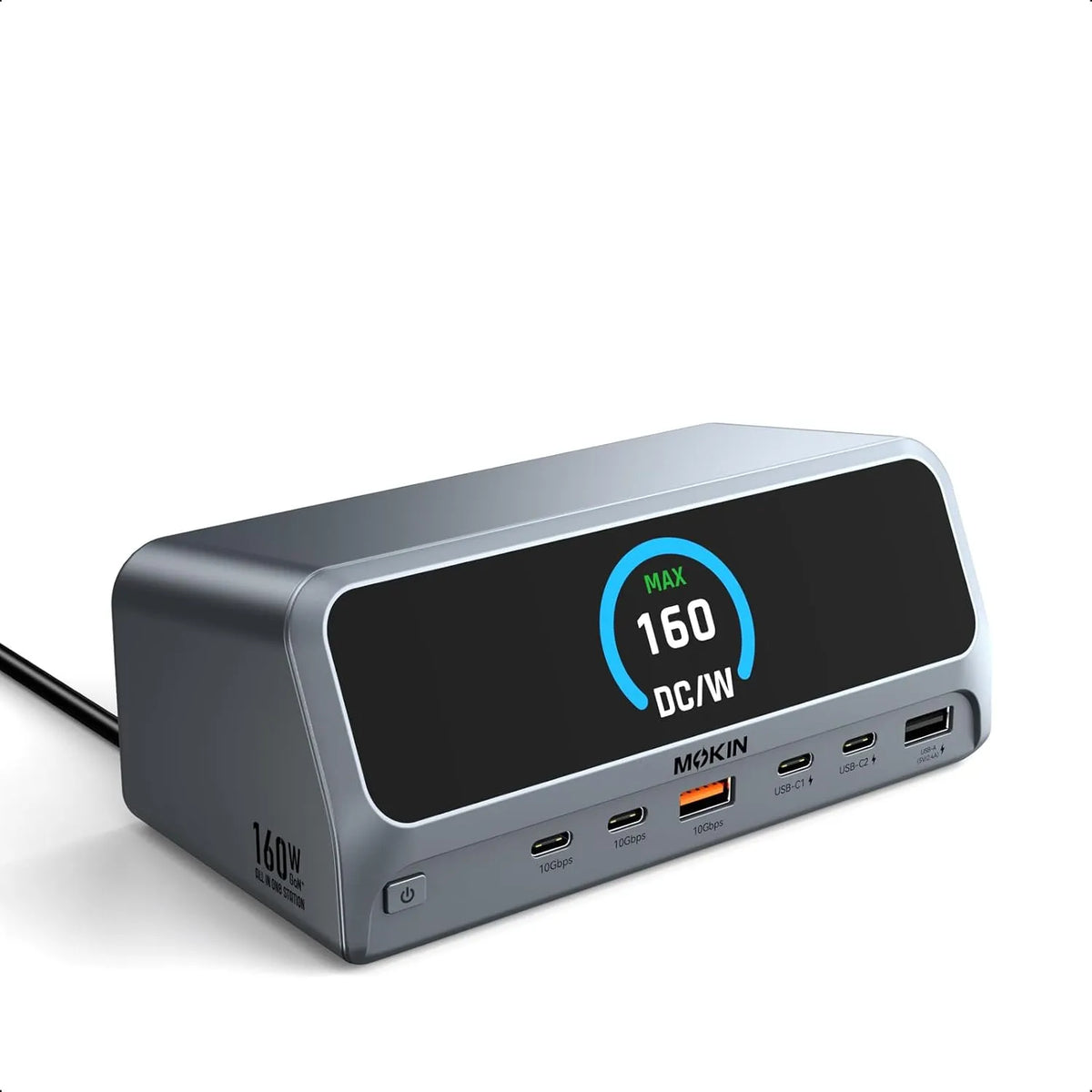
For multi-monitor desk work, the upright body and smart LCD let you check each port's live status and lock connected displays with one button when stepping away. It suits USB-C, USB4 or Thunderbolt laptops supporting DP Alt Mode, but confirm your machine meets those requirements, since incompatible ports can't drive it.
Key Specifications
- Compatibility: Supports USB-C, USB4, and Thunderbolt connections.
Best for: Professionals, remote workers and creators wanting a cleaner desk with upright design, one-touch screen lock and dual displays.
3. MOKiN 9-in-1 USB-C Hub with Triple Display for Laptop
Product overview
The MOKiN 9-in-1 hub suits macOS, Windows, Linux or Android laptop users who want triple-display output and laptop charging through one connection, delivering up to 85W from a 100W PD input. MacOS users should note it mirrors rather than extends across displays, and triple-monitor 4K@60Hz depends on DP1.4 with DSC support. Confirm your laptop's USB-C port handles video output and Power Delivery before relying on it.
Key Specifications
- Compatibility: This USB-C hub is compatible with macOS, Windows, Linux, and Android.
- Charging: This triple-monitor USB-C docking station supports 100W input and delivers up to 85W of safe, continuous power to charge your laptop, ensuring efficient operation.
Best for: macOS, Windows, Linux or Android laptop users who need triple-display output and up to 85W laptop charging from one hub.

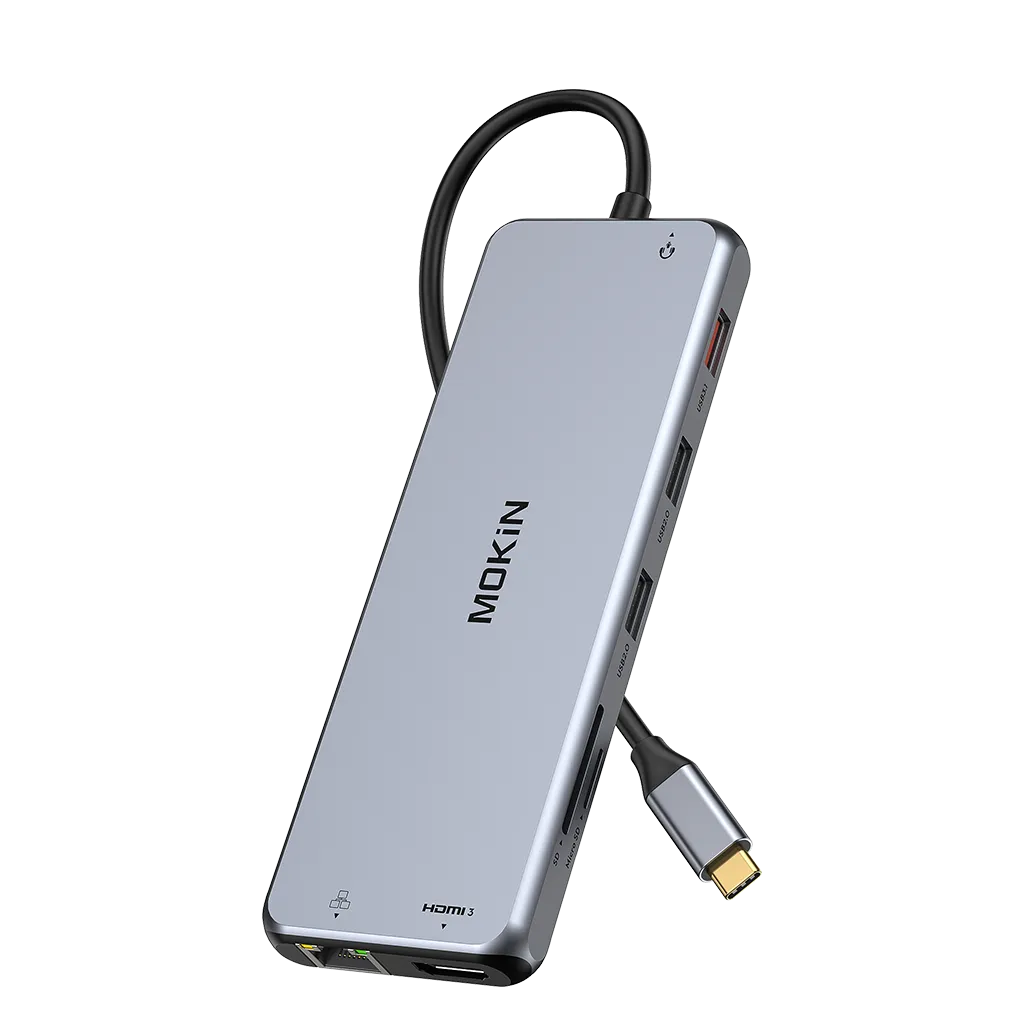
4. MOKiN 12-IN-1 Laptop Docking Station With 3 Monitors
Product overview
MOKiN's 12-in-1 dock suits Thunderbolt or full-function USB-C laptop owners who want a triple-HDMI desktop setup, with plug-and-play operation and SD/microSD slots for card-based workflows. Confirm your laptop port meets that requirement first—a USB-to-USB-C adapter won't work—and note macOS mirrors external displays rather than extending them. Its 10Gbps ports also aren't compatible with Logitech wireless mouse/keyboard receivers.
Key Specifications
- Compatibility: This hub is only compatible with laptops that have a Thunderbolt or full-function USB-C port
Best for: Thunderbolt or full-function USB-C laptop owners, including listed Dell, Lenovo and Surface models, building a triple-HDMI workstation.
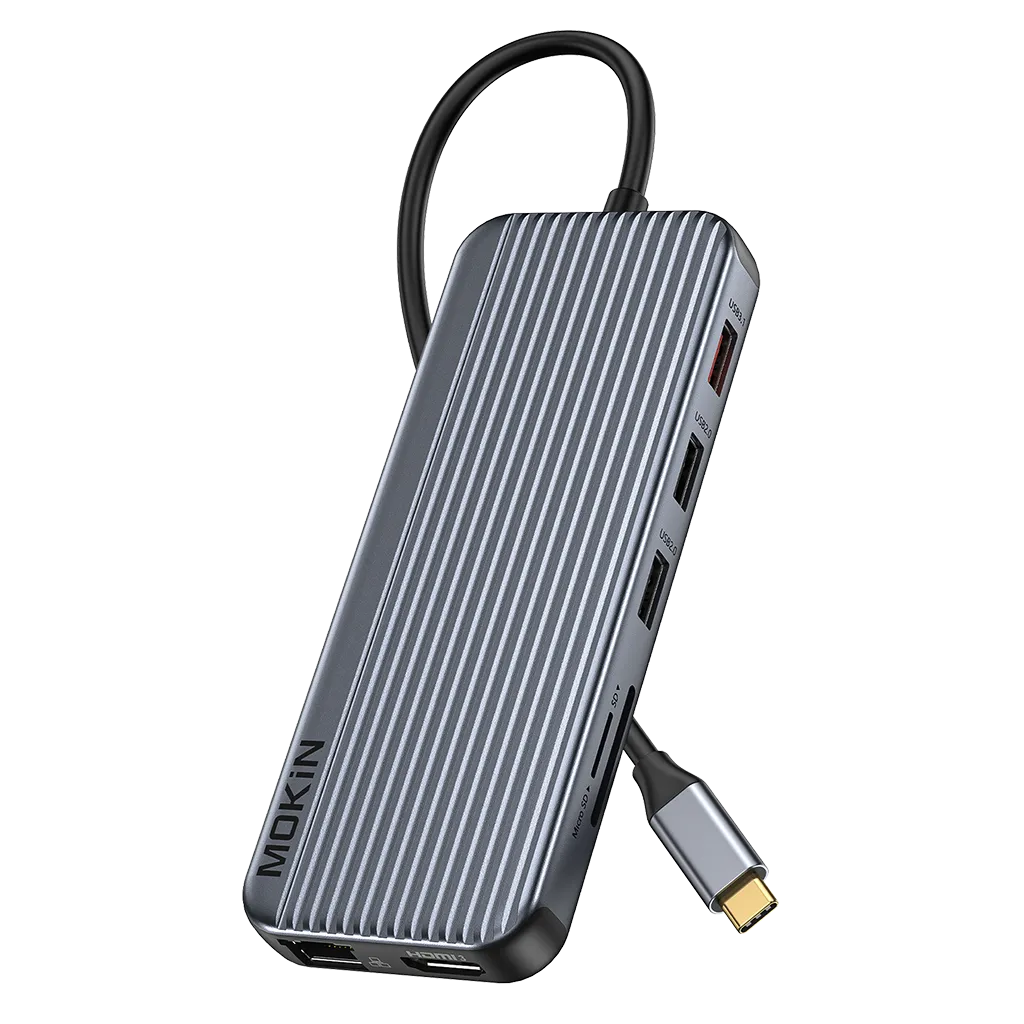
5. MOKiN 12-in-1 USB-C to Triple HDMI Docking Station for Laptop
Product overview
This 12-in-1 dock's three HDMI ports can drive up to three 4K@60Hz monitors alongside the laptop screen, but only under a DP 1.4 source, and macOS is limited to mirroring all monitors. Its SD and microSD slots read both cards at once, which suits photographers offloading footage to a multi-display desk setup. Confirm your laptop's USB-C port supports triple-display output before buying.
Key Specifications
- Compatibility: Compatible with MacBook, Samsung, AOC, Dell, LG, HP, Lenovo, etc
- Charging: Featuring a PD 3.0 port that supports up to 100W input and 85W output, it can efficiently charge your laptop.
Best for: MacBook, Dell, HP, Lenovo, Samsung, AOC or LG laptop users wanting three 4K@60Hz HDMI displays and card readers.
6. MOKiN 65W Portable Power Bank - 18400mAh, Laptop-Ready, Safe Charging
Product overview
MOKiN's 65W bank suits laptop and phone users who want one 18400mAh pack with detachable USB-C and iPhone cables, plus USB-A and USB-C ports for four outputs. Check that your laptop accepts 65W USB-C PD before relying on the merchant's 1.7-hour MacBook Pro 16-inch claim.
Key Specifications
- Weight: 0.88 lb
- Compatibility: all devices.
- Charging: The portable laptop power bank only takes 1.7h to fully charge a MacBook Pro 16'', 41mins for an iPhone 15 Pro Max, and 30mins for a steam deck.
Best for: Laptop and phone users who want one 18400mAh bank with dual detachable USB-C and iPhone cables plus 65W output.
Available options
- Blue
- Black
- White

7. MOKiN 16-in-1 Laptop Docking Station for Quadruple Monitors
Product overview
For USB-C laptop owners mixing modern HDMI or DisplayPort monitors with legacy VGA screens, this dock's broad video outputs support that setup, though macOS mirrors across external displays and M1 Macs extend only one. It needs a built-in USB-C port with video support, not a USB-to-USB-C converter, and a 65W-plus charger isn't included.
Key Specifications
- Compatibility: a variety of devices.
Best for: USB-C laptop owners who want the widest port set here, including VGA and DisplayPort for legacy and modern monitors.
8. MOKiN 13 IN 1 Laptop USB-C Dock Triple Monitor
Product overview
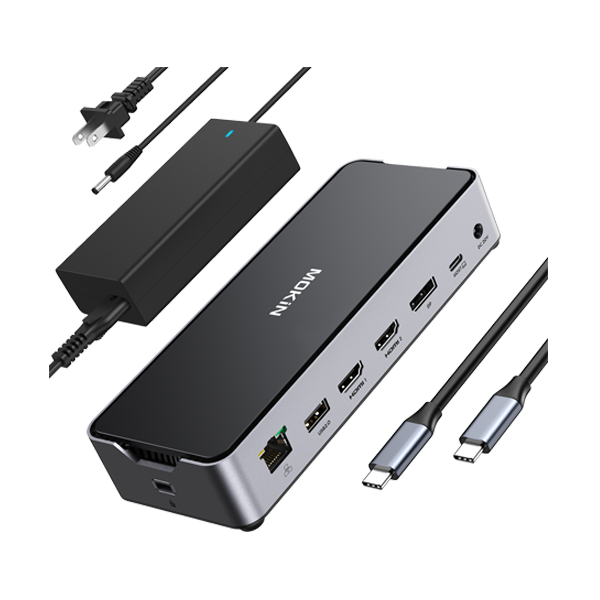
This dock suits gamers and professionals with Thunderbolt 4, Thunderbolt 3, USB4 or full-function USB-C who want dual or triple monitors, since the dual HDMI and DisplayPort outputs extend the workspace across screens and its 30W USB-C port also charges a phone or tablet. macOS cannot extend different content across monitors, and the dock needs its power connection to run, so confirm your laptop port supports DisplayPort output before relying on the multi-screen setup.
Key Specifications
- Compatibility: Compatible with Thunderbolt 4, Thunderbolt 3, USB4, and full-function USB-C ports, this docking station supports dual monitors and caters to all your connectivity needs.
Best for: Gamers and professionals with Thunderbolt 4, Thunderbolt 3, USB4 or full-function USB-C wanting dual or triple monitors.
Customer Reviews
Short customer excerpts from the product pages. Open the product links for full reviews.
Buying Notes
- For the magnetic power bank, confirm your iPhone supports Qi2 magnetic charging and that 10000mAh covers your trip length; only this model combines wireless charging with a built-in USB-C cable.
- For the docks and hubs, verify your laptop has Thunderbolt or full-function USB-C with DisplayPort output — a USB-to-USB-C adapter will not work, and HDMI port count alone does not guarantee triple-display output.
- Match each dock's monitor layout to your setup: dual-HDMI, triple-HDMI, or HDMI plus DisplayPort and VGA differ by model, so check the specific port mix before buying.
- For the 65W power bank, confirm your laptop charges over USB-C PD at up to 65W; the 1.7-hour MacBook Pro 16-inch figure is a merchant claim, not tested here.
Shipping Rates & Delivery Estimates Applicable shipping fees for your order will be calculated and displayed at checkout.
No additional tax or duty fees are required from customers.Read full policy ↗
- For returned items, a full refund will be issued for defective products.
When will Mokinglobal pay for return shipping?Read full policy ↗
For one year from the purchase date, MOKiN promises to address any quality-related issues with a free replacement or a full refund.
Not Covered Under Warranty ● Products without sufficient proof of purchase.
● Damage from misuse of products (including, but not limited to: falls, extreme temperatures, water, improper operation of devices).Read full policy ↗
Final Verdict
For a travel power bank, choose the MOKiN 10000mAh Magnetic Power Bank: its built-in USB-C cable and 15W Qi2 wireless charging let you power two devices at once. Check that your phone supports Qi2 wireless charging before relying on the magnetic mode.
For a multi-monitor desk with an unused AC outlet, choose the MOKiN 13-in-1 USB-C Docking Station with Smart LCD Display and Dual HDMI: it adds an AC outlet and a one-touch screen lock alongside dual HDMI. Confirm your laptop supports USB-C, USB4 or Thunderbolt display output before buying.
For laptop charging while docked, choose the MOKiN 9-in-1 USB-C Hub with Triple Display: its 100W PD input passes up to 85W to your laptop. Check that your laptop's USB-C port supports full-function video and charging.
FAQ
Do the docks include the charger needed to power the laptop?
The 16-in-1 dock's power text says to use at least a 65W adapter that is not included, warns that lower-wattage chargers may trigger a system warning, and limits safe laptop output to 87W even though the dock supports power delivery up to 100W. The 9-in-1 and 12-in-1 models instead list 100W PD input with 85W laptop output, so check your own adapter and cable before relying on pass-through charging.
Can I return a dock I opened and tried but no longer want?
Returns are accepted within 30 days of purchase only for unused and unopened items, excluding as-is items and replacement parts. For a wrong-item or change-of-mind return, you notify support within 30 days of receiving the product and pay shipping to and from the warehouse; a 15% restocking fee can apply when a claimed defect is not backed by the required photo or video proof.
How We Researched
- TrekReview reviews the exact product pages used in each article before publishing specifications, configurations or listed prices.
- Product claims are kept separate from direct specifications.
- Conflicting or incomplete values are flagged for the buyer instead of being silently resolved or guessed.
- TrekReview does not claim hands-on testing, durability results or performance testing unless real testing evidence exists.